Free UK Passport Photo (35×45 mm)

Create an HMPO-compliant passport photo at home in 30 seconds

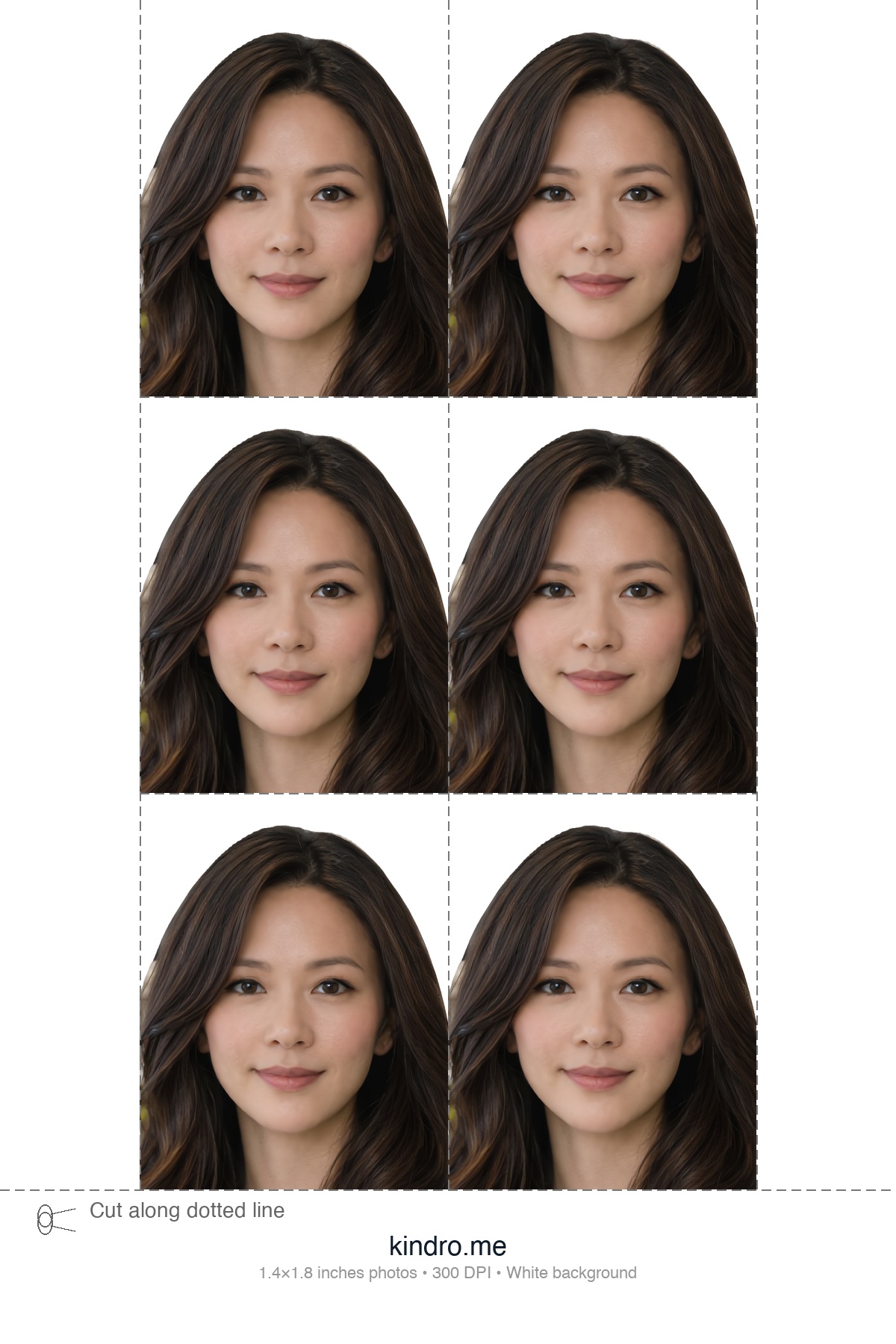
AI background removal, face centering, and automatic sizing to 35×45 mm at 300 DPI. Download and print at Boots, Snappy Snaps, or the Post Office for around 15p.

Works for: UK passports, visa applications, Biometric Residence Permits (BRP), citizenship applications

✓ Runs in your browser✓ No app to download✓ 300 DPI, print-ready✓ 100% free, no signup

Always verify your photo meets HMPO requirements before submitting your application.

Upload Your Photo

Designed to meet U.S. State Department photo requirements

You'll get: a 2×2 photo and a 4-Up 4×6 print sheet

Photo Requirements

  • Even lighting on face — no shadows
  • Both ears visible — tuck hair back
  • Neutral expression — mouth closed
  • Face camera straight — no tilt or turn
  • Clear, sharp photo — clean your lens
  • Plain background — white or light color

Top Rejection Reasons

  • Shadows on face (harsh overhead or side lighting)
  • Ears hidden by hair or head angle
  • Blurry or low-resolution image

Upload Photo (30 seconds)

Click to browse, drag & drop, or paste (Ctrl+V)

Before & After

Upload any selfie or portrait — our AI handles background removal, face centering, and 35×45 mm cropping.

Original portrait photo before UK passport photo processing

Your Photo

Any selfie or portrait works

35x45 mm UK passport photo with white background
35 mm45 mm

35×45 mm Photo

413×531 px at 300 DPI

4x6 UK passport photo print layout
4×6 glossy print paper

Print-Ready Layout

Print at Boots, Snappy Snaps, or Post Office

How It Works

1

Upload

Take a front-facing photo with your phone against any background and upload it.

2

AI Processing

Our AI removes the background, centres your face, and crops to 35×45 mm at 300 DPI.

3

Download & Print

Download your photo and print at Boots or any high street printer for around 15p.

Print at Boots, Snappy Snaps, or the Post Office

Download the 4-up print layout and print it as a single 4×6 inch glossy photo at Boots, Snappy Snaps, the Post Office, Tesco Photo, or any local photo lab. Cut along the guides to get your 35×45 mm passport photos.

A standard 4×6 glossy print costs around 15p at most stores, compared to £7–£12 for their passport photo service.

UK Passport Photo Requirements (HMPO)

Photo Specifications

  • 35×45 mm (approx. 1.4×1.8 inches)
  • Plain white or light grey background
  • Face height (chin to crown): 29–34 mm
  • Taken within the last month

Tips for Best Results

  • Face the camera directly with a neutral expression
  • Use good natural lighting, no shadows on face
  • Remove glasses — not allowed since 2018

Common Rejection Reasons

  • Wearing glasses (banned since 2018)
  • Shadows on face or background
  • Head size outside 29–34 mm range
  • Photo older than 1 month

Frequently Asked Questions

What size is a UK passport photo?

UK passport photos must be 35 mm wide by 45 mm tall. At 300 DPI, the digital dimensions are 413 by 531 pixels. Kindro automatically crops and sizes your photo to meet these exact specifications.

Can I take my own UK passport photo at home?

Yes. Any modern smartphone camera has more than enough resolution. Use good natural lighting and a plain light grey or cream background. Kindro's AI removes the background, centres your face, and formats the photo to HMPO specifications.

Is this free? What is the catch?

Kindro is completely free with no signup, no watermarks, and no hidden fees. You get the full-resolution 300 DPI passport photo and a 4-up print layout ready for any high street printer.

Where can I print my UK passport photo?

Download the 4-up print layout and print it as a 4 by 6 inch glossy photo at Boots, Snappy Snaps, the Post Office, Tesco Photo, or any local photo lab. A standard 4 by 6 print costs around 15p. Cut along the guides to get your 35 by 45 mm photos.

Can I wear glasses in my UK passport photo?

No. Since November 2018, HMPO no longer accepts passport photos with glasses. You must remove all eyewear, including prescription glasses and sunglasses, before taking your photo. This rule applies to all new and renewed UK passports.

Can I use this photo for a UK visa or BRP?

Yes. The 35 by 45 mm format is the standard for UK passports, visa applications, Biometric Residence Permits (BRP), and most UK immigration documents. Always verify the specific requirements for your application type.

Make Your Own UK Passport Photo at Home

You don’t need a photo booth or an appointment. Use our free tool to automatically remove the background, centre your face, and format your photo to HMPO standards — 35×45 mm at 300 DPI.

All you need is a smartphone with a decent camera and natural lighting. Take the photo against any wall — our AI replaces the background with compliant white.

Why Use Kindro for UK Passport Photos?

Kindro is a free, browser-based passport photo tool. No ads, no accounts, no data stored. Your photo is processed on our server only for the time it takes to generate your result. Built to save you a trip to Boots and a £7–£12 fee.

Most online passport photo services advertise as free but lock the full-resolution download behind a paywall. Kindro gives you the complete 300 DPI file and a ready-to-print 4×6 layout at no cost. Works on any device — desktop, tablet, or phone.

14-Point AI Verification Pipeline

Every photo runs through 14 automated compliance checks plus a GPT-4o Vision review — the most thorough free passport photo verification available.

Geometry & Positioning

  • 1
    Dimensions — Pixel-perfect match to HMPO spec (413×531 for 35×45mm)
  • 2
    Head Height — Chin-to-crown measurement within HMPO range (29–34 mm)
  • 3
    Eye Position — Eye height from bottom edge within required range
  • 4
    Face Centered — Horizontal offset under 5% of frame width
  • 5
    Eye Midpoint — Euclidean distance to target centre under 4% of height

Face & Expression

  • 6
    Expression — Mouth-open and smile ratios confirm neutral expression
  • 7
    Head Position — 3-axis pose check: yaw ±10°, pitch ±5°, roll ±5°
  • 8
    Eyes Open — Eye Aspect Ratio analysis confirms both eyes are open
  • 9
    Glasses Detection — Eye region brightness analysis flags eyewear (banned since 2018)
  • 14
    Both Ears Clear — Tragion geometry + brightness analysis detects hidden ears

Image Quality

  • 10
    Sharpness — Laplacian variance detects blur or soft focus
  • 11
    Lighting — Left/right face brightness ratio detects uneven shadows
  • 12
    Exposure — Skin-tone-aware brightness check (won’t penalise darker skin)
  • 13
    Image Quality — Contrast analysis flags flat or washed-out photos

AI Second Opinion

If all 14 checks pass, a GPT-4o Vision review inspects the photo for anything the deterministic checks might miss — unusual angles, partial obstructions, or subtle expression issues.

The AI review generates assessments against HMPO (HM Passport Office) official photo requirements.

Likely CompliantBorderlineNeeds Improvement

Green checks are hard requirements. Yellow checks are advisory warnings. Final acceptance is always determined by the issuing authority.

Kindro vs. Other Passport Photo Tools

FeatureKindroOther Tools
Download qualityFull 300 DPI, no watermarkLow-res preview; pay £3–£8 for full file
Cost100% freeFree to try, paywall on download
Account requiredNo signup neededEmail or social login required
Print-ready layout4×6 sheet with multiple photos includedSingle photo only; print layout extra
Compliance verification14-point check + GPT-4o Vision reviewBasic face detection only, if any

Passport Photos for Other Countries

Free tools for other passport photo sizes

CountryPhoto SizeTool
United States2 × 2 in (51 × 51 mm)Get Photo →
Canada50 × 70 mmGet Photo →
India2 × 2 in (51 × 51 mm)Get Photo →
Mexico35 × 45 mmGet Photo →
Taiwan35 × 45 mmGet Photo →
China33 × 48 mmGet Photo →